Building a PHP SDK for 1Password's Passage: Enhancing Security and Simplifying Integration
PHP SDK for 1Password's Passage: Unleashing the Secrets of Secure Secrets Management with a Dash of PHP Magic!

Link to the code: https://github.com/eludadev/Passage
PHP developers can include the Passage PHP SDK to their project from Packagist: https://packagist.org/packages/eludadev/passage
Introduction
Welcome to the exciting world of PHP and 1Password's Passage! In this project, we'll embark on a thrilling journey to create a PHP SDK that will not only enhance the security of your applications but also make integration a breeze. Prepare yourself for a fun-filled adventure as we dive into the world of secure secrets and simplified implementation.

Inspiration
Imagine a world where passwords are no longer a burden and secrets are safely stored in the digital realm. This vision inspired me to create a PHP SDK for 1Password's Passage API. As a PHP developer, I understand the challenges of securely managing secrets, and the lack of an official PHP SDK for Passage motivated me to take matters into my own hands. This project aims to bring joy and excitement to PHP developers while ensuring top-notch security.
Identifying the Demand

During my exploration of the 1Password Slack community, I discovered a resounding demand for a dedicated PHP SDK for Passage. Conversations with fellow developers highlighted the challenges they faced when integrating Passage into their PHP applications. The absence of an official SDK made the process cumbersome and time-consuming. Recognizing this need, I took it upon myself to bridge the gap and create the Passage PHP SDK, offering a comprehensive solution to the PHP community.
Problem Statement

Managing secrets securely and efficiently can be as challenging as slaying a dragon. Developers often find themselves tangled in complex encryption techniques or struggling to integrate external password management services. The absence of a dedicated PHP SDK for 1Password's Passage has been a roadblock in our quest for streamlined security and simplified integration.
Solution: Passage PHP SDK - The Ultimate Adventure Companion
The Passage PHP SDK is your trusty companion on this exciting adventure. Equipped with magical powers and a bag full of PHP tricks, it will help you conquer security challenges and seamlessly integrate 1Password's Passage API.
It's also worth noting that this SDK works almost identically to its Node.js counterpart, making it an ideal addition to the Passage team's arsenal.
Why choose PHP?
One of the primary reasons for choosing PHP is its immense popularity within the web development community. PHP has a long-standing history and has been adopted by a vast number of developers worldwide. This widespread usage has resulted in a robust ecosystem, extensive documentation, and a large community that actively contributes to its growth and improvement. The abundance of online resources, forums, and libraries makes PHP development more accessible and facilitates finding solutions to common challenges.
Usage with PHP Frameworks
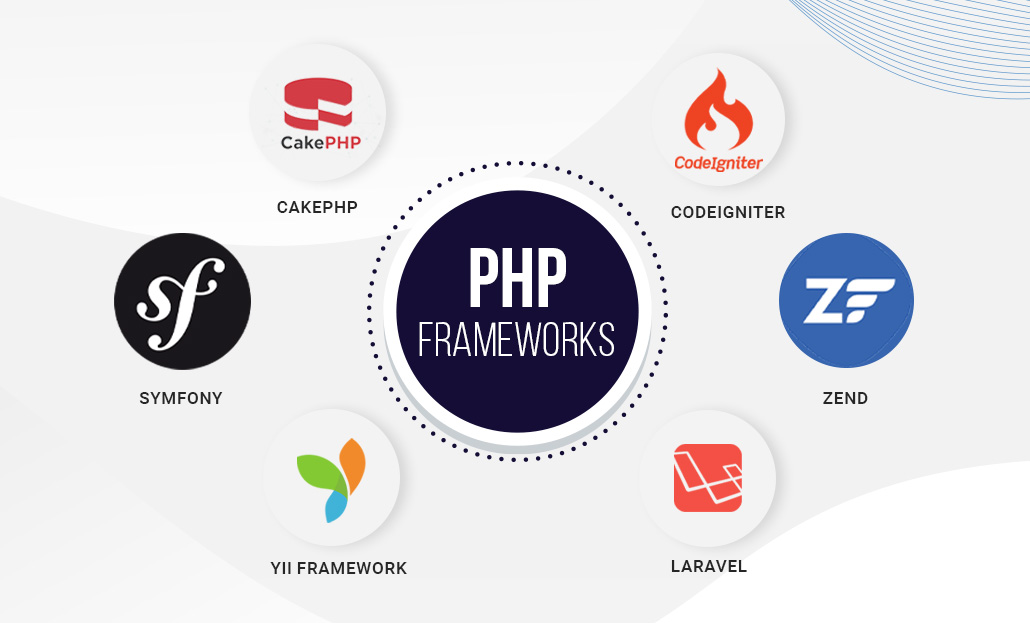
Laravel
Start by creating a Laravel project using PHP Composer:
composer create-project --prefer-dist laravel/laravel <PROJECT_NAME> --ignore-platform-reqs
Then follow these steps:
Create a Passage account and a new Passage application.
Retrieve your application's
<APP_ID>and<API_KEY>.Add
<APP_ID>and<API_KEY>to your local.envfile:APP_ID=your_app_id API_KEY=your_api_keyInstall the Passage SDK from Packagist:
composer require eludadev/passage --ignore-platform-reqsImport the Passage class:
use Eludadev\Passage\Passage;Create an instance of the Passage class. Set
<AUTH_STRATEGY>to either'COOKIES'(default) or'HEADER':$passage = new Passage(env('APP_ID'), env('API_KEY'), '<AUTH_STRATEGY>' /* optional */);
Symfony
Similarly to Laravel, you can use the Passage PHP SDK in your Symfony routes using the following syntax.
First, configure your routes:
# config/routes.yaml
authenticated_route:
    path: /authenticatedRoute
    methods: GET
    controller: App\Controller\AuthenticatedController::index
    requirements:
        _security: 'is_granted("ROLE_USER")'
Then add the following code to the controller:
// src/Controller/AuthenticatedController.php

namespace App\Controller;

use Symfony\Component\HttpFoundation\Response;
use Symfony\Component\Routing\Annotation\Route;

class AuthenticatedController
{
    /**
     * @Route("/authenticatedRoute", name="authenticated_route")
     */
    public function index(): Response
    {
        $passage = new Passage(env('APP_ID'), env('API_KEY'), '<AUTH_STRATEGY>' /* optional */);
        return $passage->getApp();
    }
}
Other frameworks
This same pattern can be repeated for other PHP frameworks.
Link to the code: https://github.com/eludadev/Passage
PHP developers can include the Passage PHP SDK to their project from Packagist: https://packagist.org/packages/eludadev/passage
Magic Link Authentication: Unleash the Magic
Harness the power of magic link authentication with the Passage PHP SDK. Generate custom magic links that grant users access to protected resources. It's like wielding a magic wand that simplifies the authentication experience for both developers and end-users.
use Eludadev\Passage\Passage;

$passage = new Passage(env('APP_ID'), env('API_KEY'));

$magicLink = $passage->createMagicLink('newEmail@domain.com', '/custom-path/1234');

// use Magic Link URL
$magicLink->url;
Robust Error Handling: Dealing with Mystical Creatures
Encountering errors on your quest is inevitable, but fear not! The Passage PHP SDK incorporates robust error-handling mechanisms. It equips you with the ability to face errors head-on, troubleshoot with ease, and provide meaningful feedback to users. Your PHP application shall remain unshaken.
throw new PassageError("Missing authorization headers!", 401);
Authenticating Requests: Taming the Authentication Beast
Passage makes it easy to associate an HTTP request with an authenticated user. Use the following code to validate that a request was made by an authenticated user:
use Eludadev\Passage\Passage;

// With Laravel
Route::get('/passage', function (Request $request) {
    $passage = new Passage(env('APP_ID'), env('API_KEY'));
    return $passage->createMagicLink("example@domain.com", "/redirect");
});
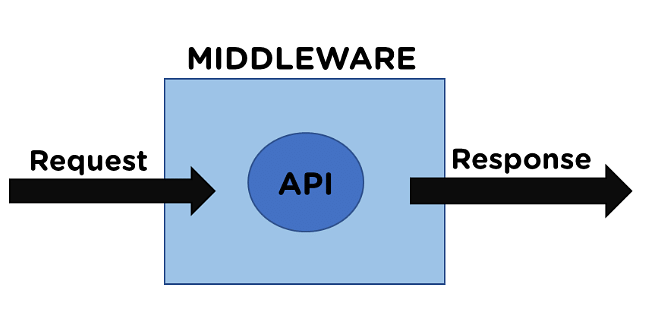
Middleware for Request Authentication: A Shield Against Unauthorized Access
If you prefer a middleware approach, the Passage PHP SDK provides a middleware that can be used directly. This middleware authenticates a request and returns a 401 Unauthorized response if the token is invalid. Use the following code to protect your routes:
use Eludadev\Passage\Passage;
use Eludadev\Passage\Middleware\PassageAuthMiddleware;

// With Laravel
Route::get('authenticatedRoute', function (Request $request) {
    $passage = new Passage(env('APP_ID'), env('API_KEY'));
    $userID = $request->userID;
})->middleware(PassageAuthMiddleware::class);
User Management: Controlling the Fate of Users
The Passage PHP SDK provides secure user management functionalities, allowing you to control the fate of your users. Here are some of the functions you can perform:
Get a user's information (including any defined user metadata)
Activate or deactivate a user (a deactivated user will not be able to log in)
Update a user's information (email address or phone number)
Delete a user
Create a user
Please note that Passage API keys are required for user management operations.
use Eludadev\Passage\Passage;

// Update user data
$passageUser = $passage->user->update($userID, [
  'email' => 'testEmail@domain.com',
  'phone' => '+15005550006'
]);

$passageUser->email; // testEmail@domain.com
$passageUser->phone; // +15005550006
Integration with a React frontend 🚀

After noticing that the official Nodejs SDK has a demo app, I decided to build a similar example full-stack application on React and a PHP backend. Get started by cloning the repo and opening the following directory: cd ./examples
Warning Make sure you have PHP and Composer installed on your local machine before continuing with these steps.
Configuring a new Passage Project

Create a new Passage project. Make sure to input http://localhost:3000 for the domain, and /dashboard for the redirect URL.
Updating an existing Passage project

Head over to your project settings. Input http://localhost:3000 for the domain, and /dashboard for the redirect URL, and / for the login URL.
Running the server
Go to the backend directory:
cd ./backendInstall the dependencies:
composer installCopy the environment variables file:
cp .env.example .envReplace your Passage credentials in
.env:PASSAGE_APP_ID= PASSAGE_API_KEY=Run the server:
php artisan serve
Running the frontend
Go to the frontend directory:
cd ./frontendInstall the dependencies:
yarnCopy the environment variables file:
cp EXAMPLE.env .envReplace your Passage credentials in
.env:REACT_APP_PASSAGE_APP_ID=Run the server:
yarn start
How it works
Here's the code powering the PHP backend:
// routes/api.php

<?php

use Eludadev\Passage\Errors\PassageError;
use Eludadev\Passage\Passage;
use Illuminate\Http\Request;
use Illuminate\Support\Facades\Route;

// This route handles the authentication process for the '/auth' endpoint

Route::post('/auth', function (Request $request) {
    try {
        // Create a new instance of the Passage class using the Passage API credentials from the environment variables
        $passage = new Passage(env('PASSAGE_APP_ID'), env('PASSAGE_API_KEY'), 'HEADER');

        // Authenticate the request using the Passage API
        $userId = $passage->authenticateRequest($request);

        if ($userId) {
            // If authentication is successful, retrieve user data using the Passage API
            $userData = $passage->user->get($userId);

            // Determine the identifier based on the user data (email or phone)
            $identifier = $userData['email'] ? $userData['email'] : $userData['phone'];

            // Return the authentication status and identifier
            return [
                'authStatus' => 'success',
                'identifier' => $identifier
            ];
        }
    } catch (PassageError $e) {
        // Catch any errors that occur during the authentication process and echo the error message
        echo $e->getMessage();

        // Return the authentication failure status
        return [
            'authStatus' => 'failure'
        ];
    }
});
For this particular example, we chose to build the server on the Laravel framework, but the Passage PHP SDK can work on any PHP framework.
The frontend calls the localhost:8000/api/auth URL, which extracts the authentication header, decodes the JWK token, and retrieves the user ID. It then makes calls to the Passage API to retrieve more user information such as email and phone number.
All of this is done behind the scenes by the PHP SDK, so you and your clients don't have to worry about the intricate details.
Conclusion
Congratulations! You've successfully embarked on an adventurous journey to create a PHP SDK for 1Password's Passage. By harnessing the power of secure secrets and simplified integration, you have made a significant contribution to the PHP community.
Now, armed with the Passage PHP SDK, you can confidently build secure applications, protect valuable resources, and provide users with a seamless experience. Together, let's revolutionize the world of secrets management and embark on more exciting quests in the realm of PHP.
Acknowledgments
I would like to express my gratitude to the 1Password Slack community for their insightful discussions and feedback, which served as a constant source of inspiration. Additionally, I extend my thanks to the PHP community for their continuous support and encouragement throughout this adventurous journey.

References
- 1Password Passage API Documentation: https://docs.passage.id/api-docs/authentication-api/apps


